
How to Turn Your Podcast into Viral Short-Form Clips
Your podcast episodes are goldmines of content waiting to be unlocked. Every hour of conversation contains multiple clips perfect for TikTok, Instagram Reels, and YouTube Shorts. With the right AI video editor, you can extract that value and grow your audience across platforms.
Why Podcasters Need a Short-Form Strategy
Podcasting is a long game. Building an audience through audio alone is slow – listeners need to commit significant time to each episode. But short-form video? That's where discovery happens in 2026.
Consider this: TikTok, Instagram Reels, and YouTube Shorts collectively reach billions of users daily. A 30-second clip that resonates can expose your podcast to thousands of potential new listeners who would never have found you otherwise.
The math is compelling:
A 1-hour podcast episode can yield 10-20 short clips. If each clip reaches even a small audience, and a fraction of those viewers convert to podcast listeners, you've built a powerful growth engine without creating any new content.
The podcasters growing fastest right now aren't just making great episodes – they're systematically repurposing that content for short-form platforms.
What Makes a Great Podcast Clip?
Not every moment of your podcast will work as a short clip. You're looking for specific types of content:
Hot Takes & Strong Opinions
Moments where you or your guest expresses a bold, potentially controversial viewpoint. These create engagement through agreement or disagreement.
Surprising Facts or Insights
Information that makes people stop and think "wait, really?" These clips get saved and shared because they provide genuine value.
Emotional Moments
Genuine laughter, heartfelt confessions, moments of vulnerability. Emotion connects with audiences in ways that pure information can't.
Actionable Tips
Quick, concrete advice people can implement immediately. "Here's how to..." clips perform exceptionally well and position you as an authority.
Quotable One-Liners
Those perfect moments when someone says something so well-phrased it deserves to be repeated. These become highly shareable.
Story Beginnings
The opening of a compelling story that creates curiosity. End the clip before the resolution and direct viewers to the full episode.
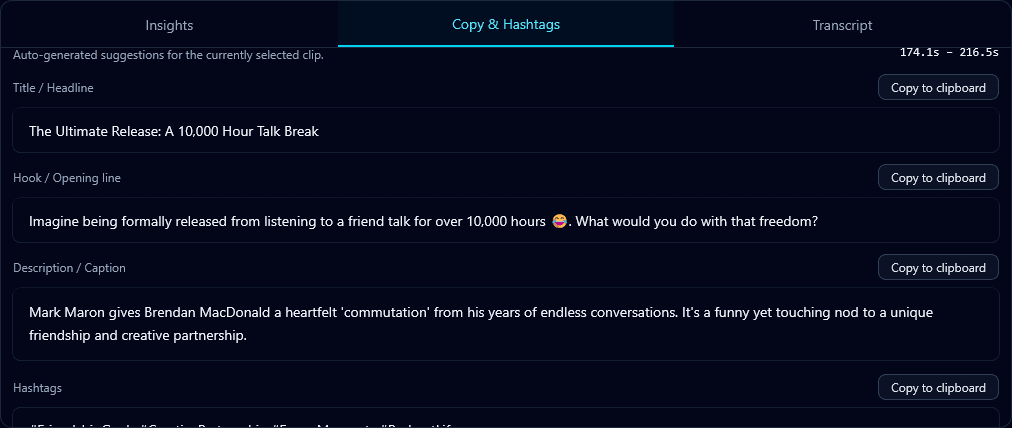
Auto-generated captions and social copy make posting faster
Step-by-Step: Podcast to Clips Workflow
1Record Video (Not Just Audio)
This is crucial. If you're only recording audio, you're missing out. Set up a simple camera – even a webcam or smartphone – to capture video during your recording sessions. Video clips dramatically outperform audio-only content on social platforms.
2Get Your Transcript
A transcript is your roadmap for finding clips. You can scan text much faster than scrubbing through audio. AI transcription makes this instant and affordable. Look for tools that offer speaker identification if you have guests.
3Identify Clip-Worthy Moments
Scan your transcript looking for the clip types mentioned above. Mark timestamps for potential clips. Aim to identify 10-20 possibilities from a typical episode – you'll refine this down later.
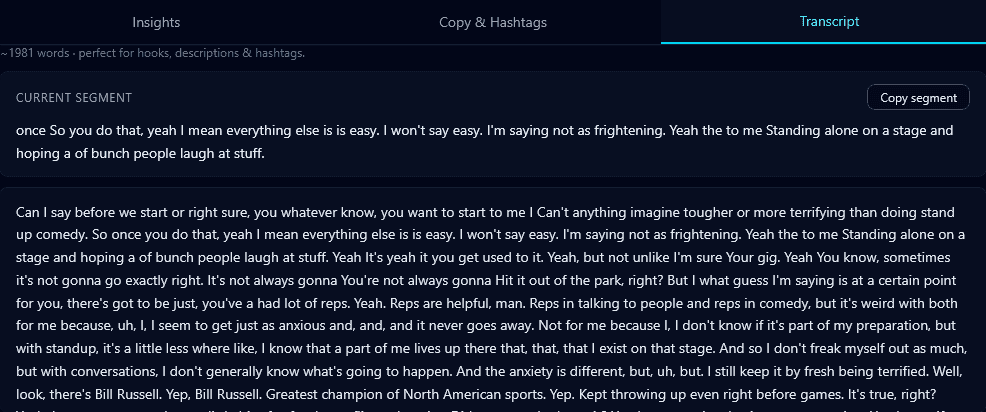
AI tools like Klypse can automate this entirely, using algorithms to surface the most engaging moments automatically.
4Extract and Edit Clips
Trim each clip to 15-60 seconds. Start as close to the hook as possible – don't include rambling lead-ups. End on a strong note or cliffhanger. Ensure clips make sense without requiring context from the full episode.
5Optimize for Vertical
Most podcast recordings are landscape. You'll need to convert to 9:16 vertical format for TikTok, Reels, and Shorts. Use face tracking to keep speakers centered. For multi-person setups, consider split-screen or focus on the active speaker.
6Add Captions
Non-negotiable. Most social media users scroll with sound off. Your brilliant podcast insights are worthless if people can't read them. Use clear, readable fonts in platform-safe zones.
7Add Hooks and CTAs
Consider adding text hooks at the start if the clip doesn't immediately grab attention. Include a call-to-action directing viewers to the full episode – "Full episode in bio" or "Link in comments."
8Schedule and Post
Don't post all clips at once. Spread them across the week to maintain consistent presence. Use scheduling tools to batch this work. Monitor which clip styles perform best and adjust your strategy.
What If You Only Have Audio?
If you've been recording audio-only, you can still create video clips. Here are your options:
- •Waveform visualization: Simple animated audio waveforms on a branded background. Not the most engaging, but better than nothing.
- •Animated captions: Full-screen captions with kinetic typography effects. The text becomes the visual content.
- •Stock footage overlay: Add relevant b-roll behind your audio to create visual interest.
- •Photo slideshows: Images of you, your guest, or relevant topics with transitions synced to the audio.
Going forward:
Start recording video now. Even a simple webcam setup dramatically improves your clip potential. The barrier is lower than ever with smartphone cameras and basic lighting.
Best Practices for Podcast Clips
Context is optional, value is not
Each clip should deliver value on its own. Viewers shouldn't need to have heard the full episode to understand and appreciate the clip.
Tease, don't tell
If your clip is from a longer story, end on a cliffhanger. Create curiosity that drives viewers to seek out the full episode.
Quality audio matters more than video
Viewers forgive imperfect video more than poor audio. Invest in a good microphone before fancy cameras.
Tag your guests
When posting clips featuring guests, tag them. Their reshares expose your content to their audience – powerful cross-promotion.
Test different styles
Try different clip lengths, caption styles, and content types. Let the data tell you what resonates with your specific audience.
Tools for Podcast Clip Creation
The right tools can transform a multi-hour manual process into something you can do in minutes:
- KlypseUpload your podcast video, and AI automatically finds the best clip-worthy moments, adds captions, handles vertical reframing, and scores each clip for viral potential.
- RiversideRecords separate tracks for each participant in high quality – great for remote podcast recording.
- DescriptEdit audio/video by editing the transcript. Good for manual clip extraction.
Start Clipping Today
Every podcast episode you publish without clips is leaving growth on the table. The content already exists – you just need to turn videos into shorts for where audiences are actually discovering new creators.
Start with your most recent episode. Identify 5 potential clips. Create them. Post them. See what performs. Then repeat. Within weeks, you'll have a system that consistently drives new listeners to your podcast.
Turn Your Podcast into Viral Clips
Klypse automatically extracts the best moments from your podcast episodes and creates ready-to-post clips with captions.