Free Tool

Free Shorts Maker

Create YouTube Shorts from any video for free. Upload a file or paste a YouTube link — AI handles the clipping, vertical crop with face tracking, and captions.

Make Free ShortsNo credit card required
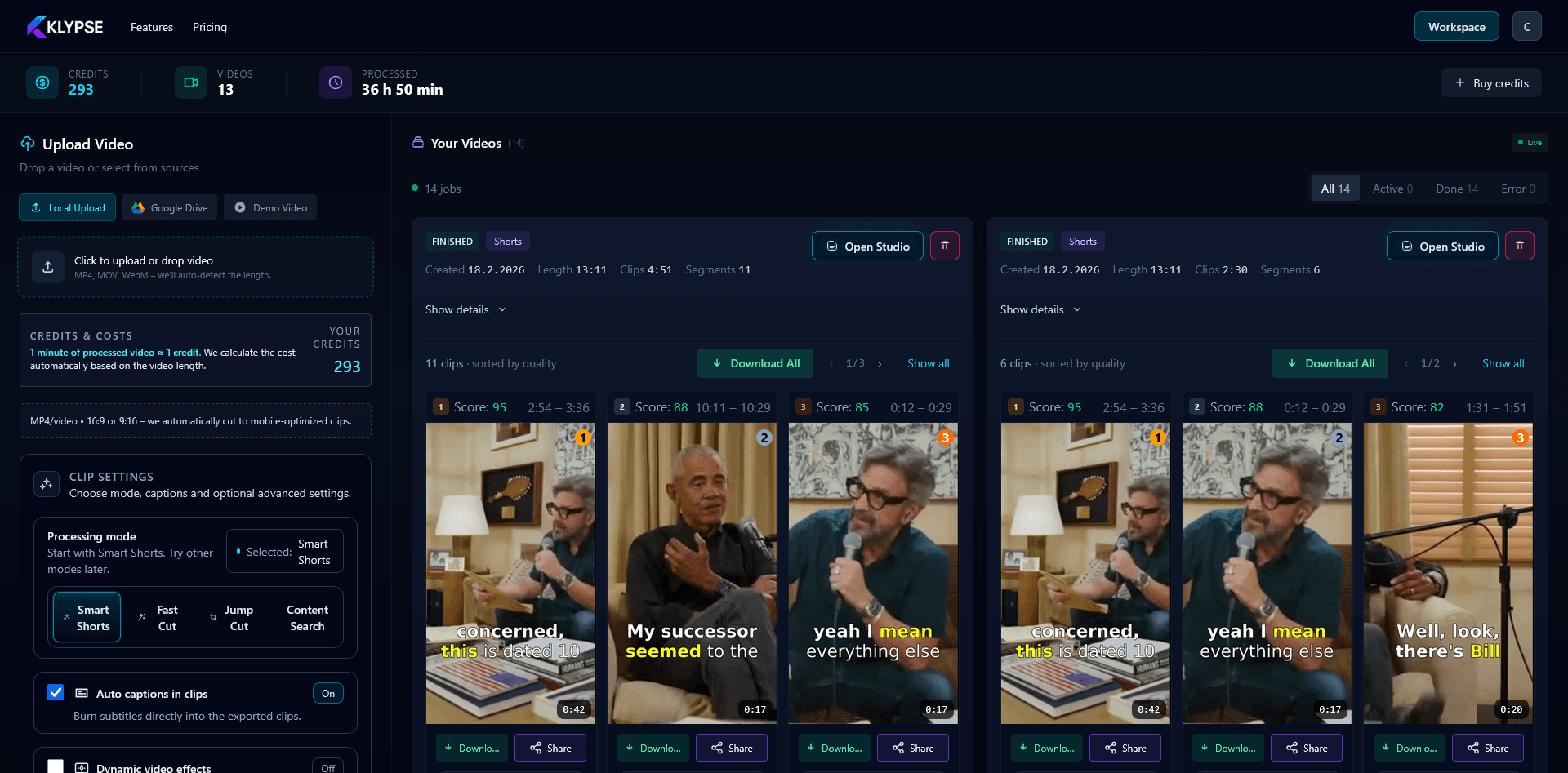
Free Shorts maker workspace: multiple vertical Shorts generated from one video with captions and hook scores

What You Get Free

AI Clip Detection

AI finds the best moments from your video automatically.

Vertical Conversion

Automatic 9:16 crop with smart face tracking.

Auto Captions

Accurate captions added automatically. Multiple styles.

No Watermark

Clean exports without any Klypse branding.

How It Works

1

Upload Video

Upload a file or paste a YouTube URL. Any length works.

2

AI Processing

AI analyzes your video and generates Short candidates.

3

Download

Preview, adjust if needed, and download your Shorts.

Free vs Paid

Free Tier

  • • Monthly free credits
  • • All AI features
  • • No watermarks
  • • Standard processing

Paid Plans

  • • Higher credit limits
  • • Priority processing
  • • Team collaboration
  • • API access

Start Making Shorts Free

No credit card required. Sign up and start creating YouTube Shorts immediately.

Free Shorts FAQ

Is this really a free shorts maker?

Yes. You can start free with no credit card. New accounts get a trial that processes full-feature videos, so you can make real vertical Shorts with AI clipping, captions and face tracking before paying anything.

How many Shorts can I make for free?

The free trial covers full-feature videos so you can generate multiple Shorts from each. When you need more volume, paid plans start at €9.90/month — but casual creators can get a lot done on the free trial first.

What's the catch?

No catch. The free trial has a limit; beyond that you upgrade for more volume, priority processing and higher-resolution exports. The core AI (clip detection, captions, vertical crop, face tracking) is the same.

Can I make free Shorts from a YouTube link?

Yes. Paste a YouTube URL and Klypse imports it directly — no download, no re-upload — then generates vertical Shorts from it. You can also upload a file (MP4, MOV, MKV, AVI, WEBM).

Do the Shorts have a watermark?

Paid exports have no watermark. Trial exports include a small Klypse mark you can remove by upgrading — the clip, captions and crop are identical either way.

Does it add captions automatically?

Yes — every Short gets accurate word-level captions generated automatically, and you can restyle the font, colors and position. Since most Shorts are watched muted, captions directly lift watch time.

What video formats and lengths work?

Most common formats work (MP4, MOV, MKV, AVI, WEBM), plus YouTube links. Any length works — long podcasts and interviews are where the AI clipping saves the most time.

What's the best free Shorts maker?

For AI clipping that finds the best moments, crops to 9:16 with real face tracking (not a naive center-crop), and captions automatically, Klypse gives you a genuinely free way to start — no credit card, real full-feature output.

Related

Create Shorts for Free

No watermarks. No credit card. Just free Shorts.