
Smart Face Tracking and Cropping: Creating Perfect Vertical Videos
Landscape video was made for TVs and desktop screens. But TikTok, Reels, and Shorts demand vertical. Converting between these formats used to be a nightmare of manual keyframing. A modern AI video editor with face tracking changed everything.
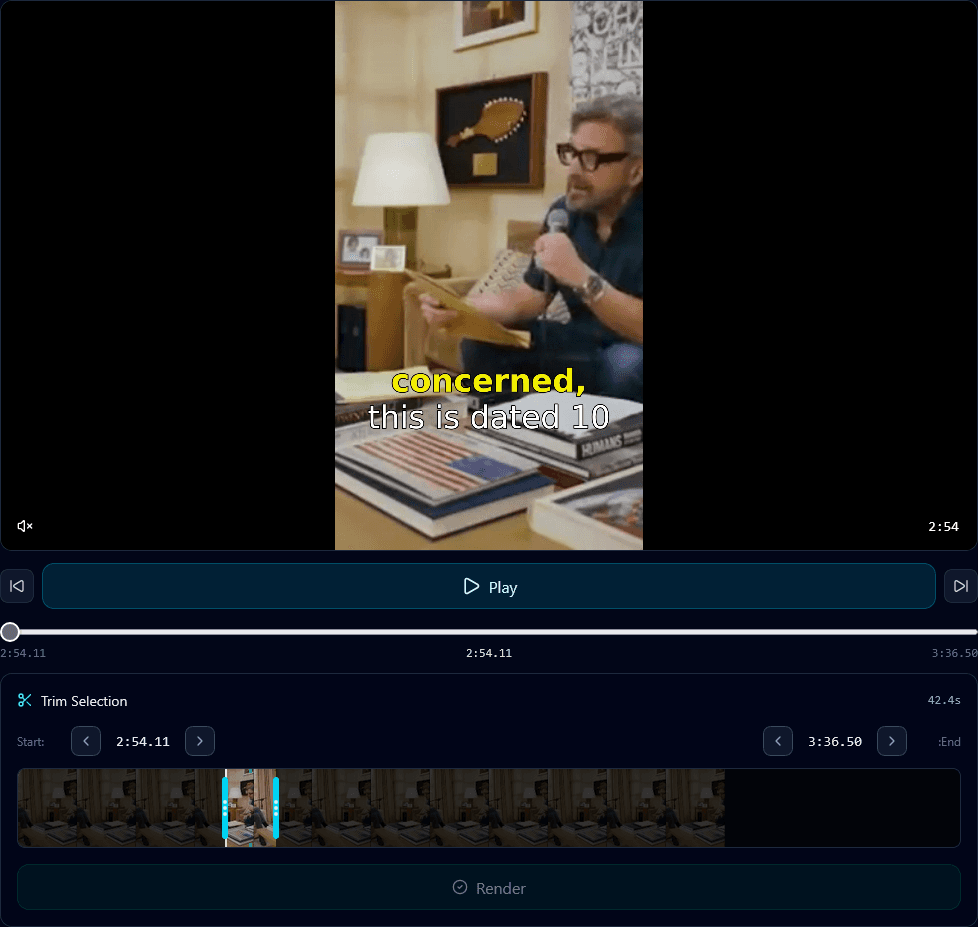
The Landscape-to-Vertical Problem
Most professional content is shot in landscape (16:9). Cameras, webcams, studio setups – they're all optimized for the horizontal frame. But social media has flipped the script: TikTok, Instagram Reels, and YouTube Shorts all favor vertical (9:16).
The math is brutal: you're going from a wide frame to a narrow one. You lose 75% of your horizontal field of view. If your subject isn't perfectly centered in the original shot, they get cut off when you crop to vertical.
The old way was painful:
- • Manually scrub through footage frame by frame
- • Set keyframes every time the subject moves
- • Adjust crop position dozens of times per clip
- • Hope you didn't miss any movements
- • Repeat for every single clip
For talking-head content – podcasts, interviews, vlogs – this was especially tedious. Speakers gesture, lean, turn their heads. Every movement required adjustment.
How AI Face Tracking Works
Modern AI face tracking uses computer vision to detect and follow faces frame by frame. Here's the basic process:
Face Detection
The AI scans each frame to identify faces using neural networks trained on millions of images. It creates bounding boxes around detected faces.
Position Tracking
As the face moves between frames, the AI tracks its position. Smooth algorithms prevent jumpy tracking from minor frame-to-frame variations.
Crop Calculation
Based on face position, the AI calculates the optimal crop for vertical format. It keeps the face centered (or rule-of-thirds positioned) within the new frame.
Smooth Movement
The crop follows the face smoothly, avoiding jerky movements. Easing algorithms create natural-feeling camera motion even when subjects move quickly.
Why Face Tracking Matters
Never Cut Off Speakers
The most obvious benefit: your subject stays in frame. No more awkward clips where the speaker's face is half-visible or completely out of shot.
Professional Quality Without Manual Work
The result looks like a skilled editor carefully keyframed the crop. But it happens automatically, instantly, without any manual intervention.
Scale Your Clip Production
What used to take 15-30 minutes per clip (manual reframing) now happens in seconds. You can produce 10x more vertical clips in the same time.
Handle Complex Movements
Gesturing speakers, people walking, head turns – AI handles it all. Movement that would require dozens of manual keyframes is tracked automatically.
Multi-Person Scenarios
Face tracking gets more interesting with multiple people. Different tools handle this differently:
- •Active speaker detection: Follow whoever is talking, switching focus as the conversation moves.
- •Split screen: Stack multiple speakers vertically in the frame, showing both/all participants simultaneously.
- •Dynamic framing: Zoom out to include multiple people, zoom in when focusing on one speaker.
For podcast clips, active speaker detection is often the best choice – it creates a natural "following the conversation" feel.
Best Practices for Face Tracking
Good lighting helps
Face detection works better with clear, well-lit subjects. Shadows and backlighting can confuse tracking algorithms.
Leave room to move
When shooting, frame with cropping in mind. Keep subjects with some space around them so the AI has room to reframe.
Review the output
AI is good but not perfect. Quick review catches any moments where tracking went wrong – rare, but worth checking.
Consider the background
The cropped vertical frame shows less background. Make sure what remains visible isn't distracting or unintentionally revealing.
How Klypse Handles Face Tracking
Klypse integrates face tracking directly into the clip creation pipeline. When you upload a landscape video and request vertical clips:
- AI identifies the best moments for clips
- Face detection analyzes speaker positions throughout each clip
- Smart cropping automatically reframes for 9:16 vertical
- Smooth tracking ensures natural-looking camera movement
- Output is ready to download and post
No separate tools, no manual intervention. Face tracking is built into the workflow.
Vertical Without the Pain
The landscape-to-vertical conversion used to be one of the biggest friction points in creating short-form content. AI face tracking has essentially solved this problem.
If you're still manually keyframing crops or avoiding vertical clips because of the work involved, it's time to let AI handle it. You can turn videos into shorts with professional-quality vertical reframing automatically.
Automatic Face Tracking, Every Clip
Klypse's AI face tracking keeps your subjects perfectly framed in every vertical clip. No manual work required.