
The Complete Guide to Video Repurposing: Turn One Video into 10+ Pieces of Content
Creating content is hard. Creating content consistently is even harder. But what if you could produce a single piece of content and turn it into a week's worth of social media posts? That's the power of video repurposing – and with an AI video editor, it's transforming how creators, brands, and businesses approach content strategy.
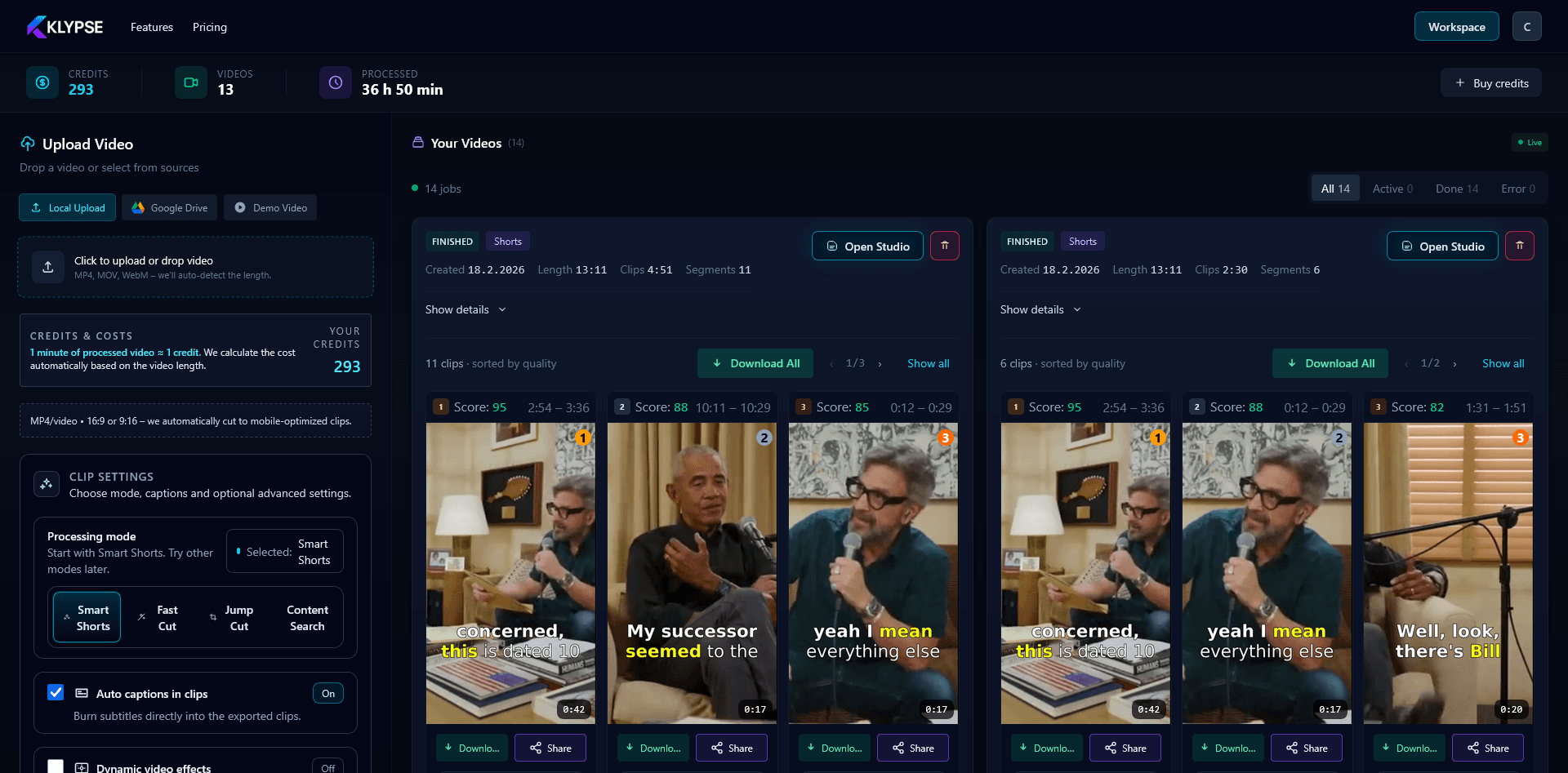
What is Video Repurposing?
Video repurposing is the strategic practice of taking existing video content and adapting it for different platforms, formats, and audiences. Instead of creating unique content for every platform from scratch, you extract maximum value from each piece of content you create.
Think of it this way: a 30-minute YouTube video isn't just a YouTube video. It's potentially:
- 5-10 short clips for TikTok, Reels, and Shorts
- An audio podcast episode
- A blog post or article
- Multiple Twitter/X threads
- LinkedIn carousel posts
- Email newsletter content
- Quote graphics for Instagram
The key insight is that different people consume content in different ways, on different platforms. By repurposing, you meet your audience where they are without multiplying your workload.
Why Every Creator Should Repurpose Video Content
Maximize Your Content ROI
Every video you create represents significant investment – your time, energy, and often money for equipment, editing, or contractors. Repurposing ensures you extract maximum value from that investment. A video that took 8 hours to create shouldn't just live in one place.
Reach New Audiences
Not everyone follows you on every platform. Your YouTube subscribers might not be on TikTok. Your TikTok audience might not read your blog. Repurposing allows you to reach all these different audience segments with content tailored to each platform.
Reinforce Your Message
Marketing research shows that people need to see a message 7-8 times before they take action. By sharing variations of your content across platforms, you naturally achieve this repetition without being annoying – because each piece feels native to its platform.
Stay Consistent Without Burning Out
The biggest challenge in content creation isn't making great content – it's making great content consistently. Repurposing lets you maintain a strong posting schedule across platforms without the exhaustion of creating everything from scratch.
Did you know?
Top creators like Gary Vaynerchuk have entire teams dedicated to repurposing. His team reportedly creates 30+ pieces of content from a single keynote speech. The good news? With AI tools, you can achieve similar results without a team.
10+ Content Types You Can Create from One Video
Let's say you've recorded a 20-minute educational video or interview. Here's everything you could potentially create from it:
1. Short-Form Vertical Clips (TikTok, Reels, Shorts)
Extract 3-10 highlight moments as 15-60 second clips. These are your highest-value repurposed assets for reach and growth.
2. Podcast Audio
Strip the audio track and publish as a podcast episode. Add an intro/outro and you have content for Spotify, Apple Podcasts, etc.
3. Blog Post/Article
Use the transcript as a foundation for a written article. Clean it up, add headers, and optimize for SEO.
4. Email Newsletter
Summarize the key points into a value-packed email. Include a link to the full video for those who want more.
5. Twitter/X Thread
Turn the main insights into a numbered thread. These perform incredibly well for building authority.
6. LinkedIn Posts
Create 2-3 standalone LinkedIn posts from different angles covered in the video. Professional audiences love this format.
7. Instagram Carousels
Design a carousel that walks through the key points visually. Great for educational content.
8. Quote Graphics
Pull the most quotable one-liners and turn them into shareable graphics for Instagram Stories and Pinterest.
9. YouTube Community Posts
Use screenshots, quotes, or questions from the video to drive engagement on your community tab.
10. Pinterest Pins
Create vertical graphics with key takeaways. Pinterest drives long-term traffic for evergreen content.
11. Webinar Slides
Restructure the content into a presentation format for webinars or speaking opportunities.
12. Lead Magnet/PDF
Compile the actionable steps into a downloadable PDF checklist or guide for email list building.
Step-by-Step Video Repurposing Workflow
Create Your Anchor Content
Start with your long-form "anchor" piece – typically a YouTube video, podcast episode, or live stream. This is your source material that everything else will be derived from. Focus on making this content as valuable and well-structured as possible.
Generate Your Transcript
Get a full transcript of your video. This becomes the foundation for all written repurposed content. Tools like Klypse automatically transcribe your videos with high accuracy. Review and correct any errors.
Identify Key Moments
Scan through your video and transcript to identify standalone moments that work out of context: strong hooks, quotable insights, emotional moments, actionable tips, or surprising facts. These become your short-form clips.
Create Short-Form Video Clips
Extract your identified moments as vertical clips. Add captions (essential for accessibility and engagement), optimize the framing for 9:16, and trim to keep only the impactful parts. AI tools like Klypse can automate this entire process.
Adapt for Each Platform
Don't just cross-post – adapt. Each platform has different norms, optimal lengths, and audience expectations. A TikTok might be more casual with trending audio, while LinkedIn content should be more professional and insightful.
Schedule and Publish
Space out your repurposed content over time. You don't need to publish everything at once. A single video can fuel your content calendar for a week or more. Use scheduling tools to maintain consistency.
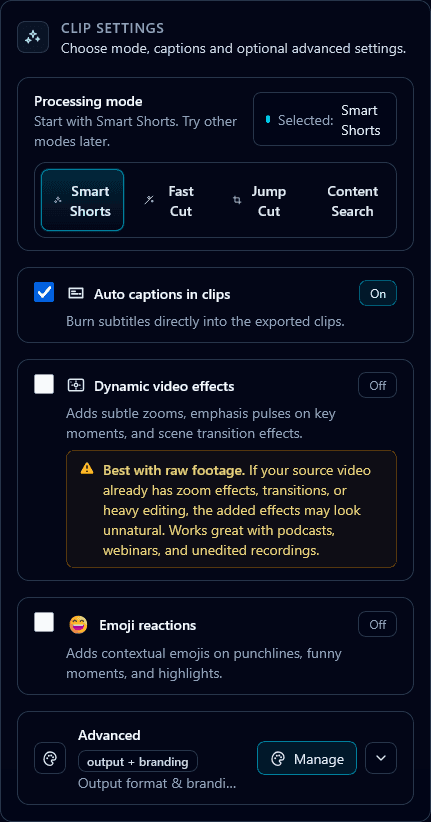
Different processing modes in Klypse for various repurposing needs
Best Tools for Video Repurposing in 2026
The right tools can transform video repurposing from a tedious manual process into a streamlined workflow. Here's what we recommend:
For Automated Short-Form Clips: Klypse
Klypse uses AI to automatically identify the best moments in your long-form videos and creates vertical clips with captions. It scores each clip's hook strength, handles face tracking for proper framing, and generates social copy. One upload can yield 5-10+ ready-to-post clips in minutes.
For Transcription
Tools like Klypse, Descript, and Otter.ai provide accurate transcriptions that serve as the foundation for written content. Look for tools with speaker identification if you're working with interviews or podcasts.
For Scheduling
Buffer, Later, and Metricool help you schedule your repurposed content across platforms. Plan your content calendar in advance so you're not scrambling daily.
Platform-Specific Optimization Tips
📱 TikTok
- • Optimal length: 15-60 seconds
- • Hook within the first 1-2 seconds is critical
- • Trending sounds can boost reach significantly
- • Captions are essential (many watch without sound)
- • Native, casual energy performs better than polished
📸 Instagram Reels
- • Optimal length: 15-30 seconds
- • Higher production quality expected
- • Use relevant hashtags (5-10)
- • Strong visual aesthetics matter more
- • Carousel posts work great for educational repurposing
▶️ YouTube Shorts
- • Optimal length: 30-60 seconds
- • Can drive subscribers to your main channel
- • Title and description matter for search
- • Works well for tutorials and educational content
- • Direct viewers to full-length video in comments
- • Professional, insight-driven content performs best
- • Native video uploads get more reach than links
- • Written posts should be 1,200-1,500 characters
- • Share lessons, not self-promotion
- • Use line breaks for readability
Common Mistakes to Avoid
Cross-posting without adaptation
Simply posting the same content everywhere doesn't work. Each platform has different expectations. Adapt your hooks, length, and style for each platform's native experience.
Ignoring captions/subtitles
85% of social media video is watched without sound. Missing captions means missing most of your potential audience. Always add accurate, readable captions.
Poor clip selection
Not every moment is clip-worthy. Clips need to work standalone with a strong hook, clear value, and a natural ending. Don't just cut randomly – be strategic.
Forgetting the vertical format
Uploading landscape videos as-is with black bars wastes precious screen real estate and looks amateur. Always reframe properly for vertical using face tracking.
Publishing all at once
Resist the urge to post all your clips immediately. Space them out to maintain consistent presence and avoid overwhelming your audience.
Start Repurposing Today
Video repurposing isn't just a nice-to-have – it's becoming essential for anyone serious about building an audience online. The creators who will win in 2026 and beyond are those who work smarter, not just harder.
The best part? You don't need to do this manually. AI tools like Klypse can turn videos into shorts automatically – finding highlights, creating clips, adding captions, and even generating social copy – so you can focus on what you do best: creating valuable content.
Take your next long-form video and commit to repurposing it fully. Follow this guide, and you'll be amazed at how much mileage you can get from a single piece of content.
Ready to Repurpose Your Videos?
Turn your long-form content into viral short clips automatically with Klypse. AI-powered highlight detection, face tracking, and caption generation.