
How to Convert YouTube Videos to TikTok: The Complete 2026 Guide
You've built a library of YouTube content. Hours of valuable videos sitting there. But TikTok is where the growth is happening right now. Here's exactly how to bridge that gap and turn your videos into shorts that perform on TikTok.
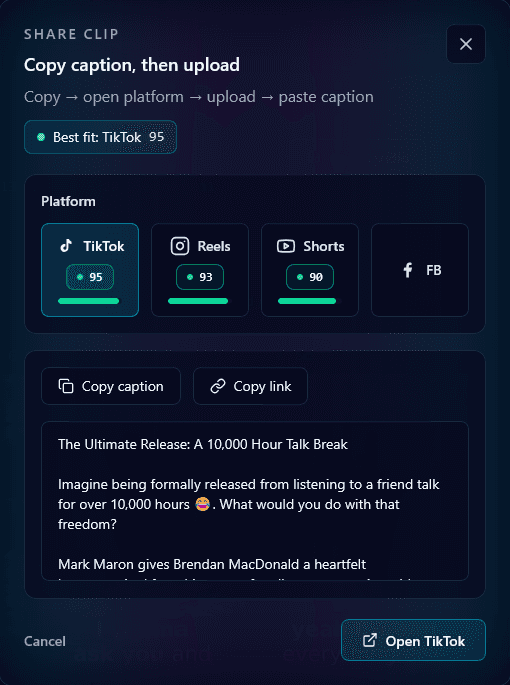
TikTok has over 1 billion monthly active users, and the platform's algorithm is uniquely powerful at surfacing content to new audiences. Unlike YouTube where subscribers are everything, TikTok can make any video go viral – if it resonates.
The opportunity is clear: take your existing YouTube content and adapt it for TikTok to reach a massive new audience. But here's the thing – you can't just download your YouTube video and upload it to TikTok. The platforms are fundamentally different.
This guide will show you exactly how to convert YouTube content to TikTok the right way, including the technical requirements, content adaptations, and strategies that work.
Understanding YouTube vs. TikTok Differences
Before we get into the how, let's understand why simple cross-posting doesn't work:
| Aspect | YouTube | TikTok |
|---|---|---|
| Format | Landscape (16:9) | Vertical (9:16) |
| Length | 8-15 minutes typical | 15-60 seconds optimal |
| Hook | First 30 seconds | First 1-2 seconds |
| Sound | Usually watched with sound | Often watched without sound |
| Pace | Can be slower, detailed | Fast, punchy, high-energy |
| Discovery | Search + Subscribers | For You Page algorithm |
TikTok Technical Requirements
Step-by-Step: Converting YouTube to TikTok
1Identify Your Best Moments
Not everything in your YouTube video will work on TikTok. Look for moments that are:
- Self-contained (make sense without context)
- High-energy or emotionally engaging
- Surprising, funny, or highly valuable
- Start with a hook or attention-grabber
- Under 60 seconds when trimmed
2Convert to Vertical Format
This is the biggest technical challenge. You need to convert 16:9 landscape footage to 9:16 vertical. Options include:
- Manual cropping: Time-consuming but gives you full control
- AI face tracking: Tools like Klypse automatically follow faces to keep subjects centered
- Split screen: Show the video on top, add graphics or text below
Pro tip: AI face tracking is the fastest option and works great for talking-head content. Klypse handles this automatically.
3Add Captions
This isn't optional – it's essential. Most TikTok users scroll with sound off, at least initially. Captions ensure your content is accessible and keeps viewers engaged. Use bold, easy-to-read fonts positioned in the safe zone (away from TikTok's UI elements).
4Optimize the Hook
The first 1-2 seconds make or break your TikTok. If your YouTube clip starts slowly, you need to either:
- Trim to start at the most engaging moment
- Add a text hook overlay at the start
- Use pattern interrupts (quick zoom, visual effect)
5Add TikTok-Native Elements
To avoid looking like obviously repurposed content, consider adding:
- Trending sounds (even under the original audio)
- TikTok-style text overlays
- On-screen calls to action
- Green screen effects if appropriate
6Write an Engaging Caption
TikTok captions should be short, include relevant hashtags, and often include a call to action or question to drive comments. Don't just copy your YouTube description – write something TikTok-native.
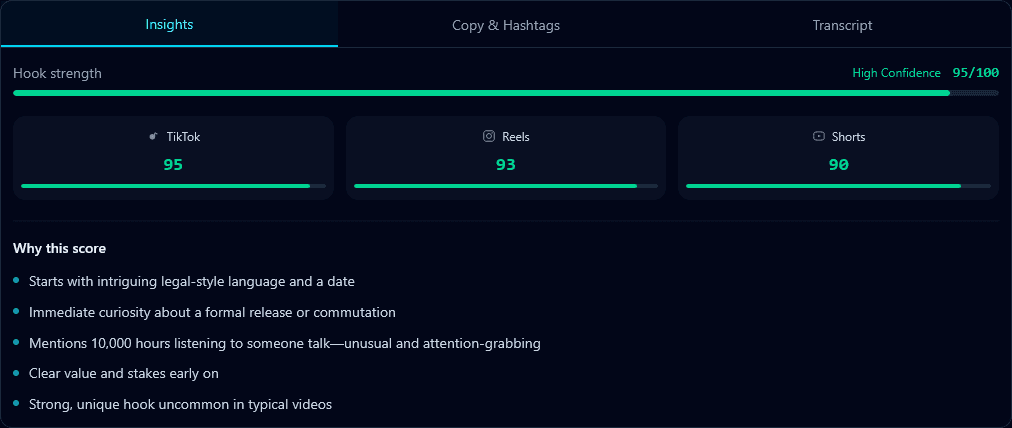
Klypse scores hook strength and shows platform-specific viral potential
What YouTube Content Converts Best to TikTok?
Works Great
- • Quick tips and hacks
- • Surprising facts or statistics
- • Emotional moments
- • Hot takes and opinions
- • Before/after reveals
- • Tutorials with clear visuals
- • Reaction content
Harder to Convert
- • Long explanatory content
- • Heavy screen recordings
- • Slow-paced vlogs
- • Content requiring context
- • Heavily edited productions
- • Multi-person interviews
- • Detailed walkthroughs
Mistakes That Kill Your TikTok Performance
Leaving YouTube watermarks or end screens
TikTok's algorithm reportedly suppresses content with other platform's watermarks. Always use clean footage without YouTube UI elements.
Letterboxing instead of cropping
Don't just add black bars to make your horizontal video fit. This wastes screen space and looks unprofessional. Properly reframe for vertical.
Starting slow
YouTube intros don't work on TikTok. Cut straight to the value. If your clip doesn't hook in 1-2 seconds, viewers are already gone.
No captions
Skipping captions dramatically reduces your reach. Most users browse with sound off, especially initially. Always add readable captions.
Using YouTube-style thumbnails
TikTok doesn't use thumbnails the same way. Your first frame matters, but you can't upload a custom thumbnail. The video needs to hook from frame one.
Automating the YouTube to TikTok Process
Doing this manually for every YouTube video is time-consuming. That's where AI tools come in. Klypse can automate the entire process:
- Upload your YouTube video (or paste the URL)
- AI automatically finds the best TikTok-worthy moments
- Face tracking handles vertical reframing
- Captions are generated and styled automatically
- Each clip is scored for viral potential
- Download multiple TikTok-ready clips
What would take hours manually can be done in minutes. Plus, the AI often finds great moments you might have missed.
Start Converting Your YouTube Library Today
Your YouTube videos represent hours of valuable content creation. Don't let that investment be limited to one platform. TikTok offers a massive, highly engaged audience just waiting to discover your content.
The key is doing the conversion right: proper vertical formatting, strong hooks, readable captions, and platform-native optimization. An AI video editing tool can handle most of this automatically, letting you reach TikTok's billion-user audience with content you've already created.
Convert Your YouTube Videos to TikTok in Minutes
Klypse automatically converts your YouTube videos to TikTok-optimized vertical clips with AI face tracking and captions.