
YouTube Podcast to Shorts
Turn video podcast episodes into viral Shorts. AI extracts the best moments, converts to vertical, and adds captions automatically.
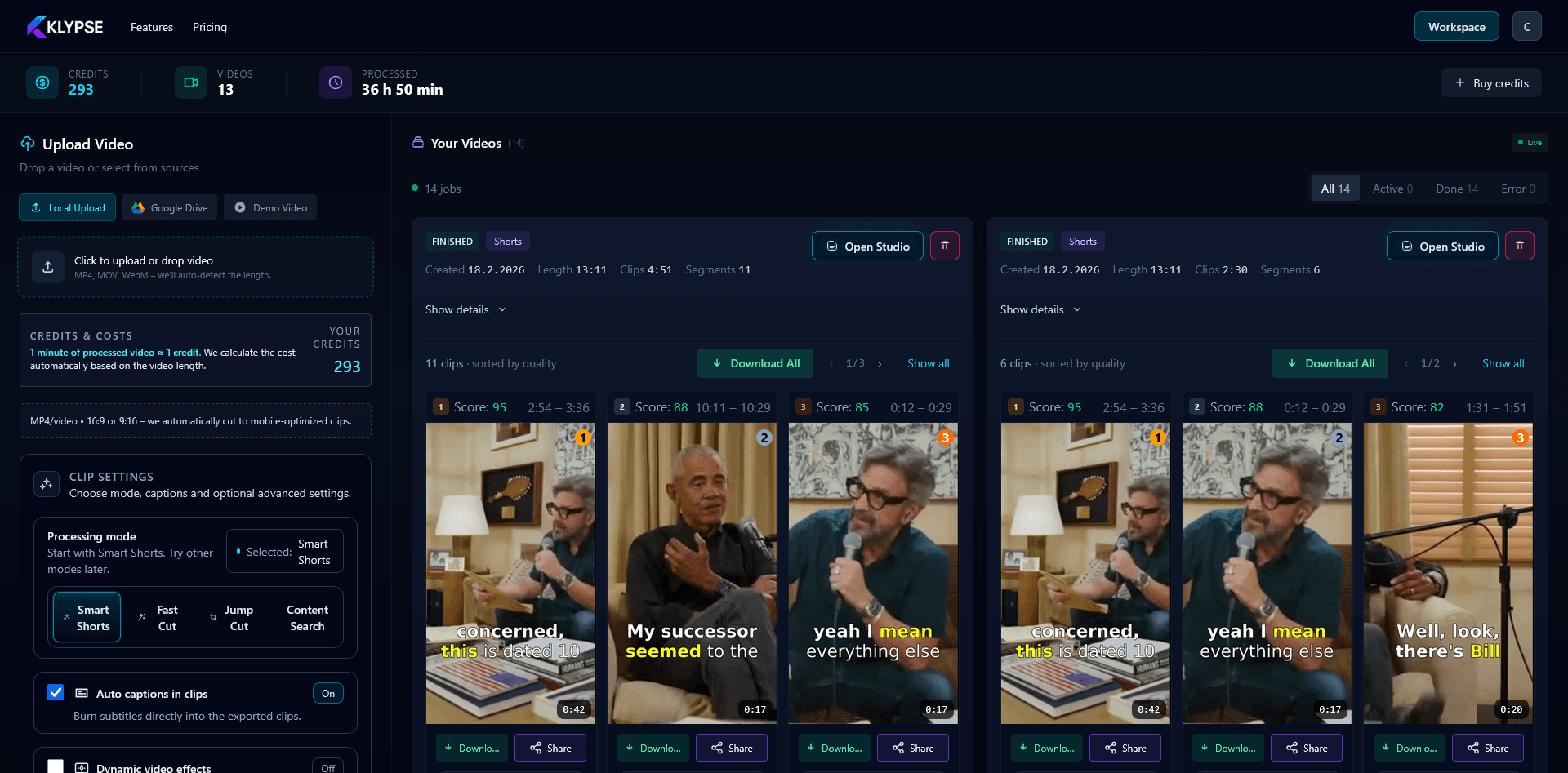
Podcast to Shorts Workflow
Upload Episode
Any video podcast format.
AI Finds Clips
Best moments extracted.
Export Shorts
Vertical, captioned, ready.
Why Video Podcasts Are Perfect for Shorts
Conversation-Rich
Podcasts are full of quotable moments, hot takes, and emotional exchanges that make perfect clips.
Long-Form Value
60-120 minute episodes contain dozens of clip-worthy moments waiting to be discovered.
Guest Leverage
Guests often share clips too, multiplying reach beyond your own audience.
Drive Full Episodes
Shorts introduce new viewers who then watch complete episodes.
Multi-Speaker Made Easy
Klypse's multi-speaker tracking handles the complexity of podcast clips:
- ✓ Automatically switches focus between host and guest
- ✓ Split-screen layouts when both speakers matter
- ✓ Smooth transitions between speakers
- ✓ Face tracking keeps everyone framed properly
Best Moments for Shorts
💡Key Insights
Aha moments that teach.
🔥Hot Takes
Strong opinions that engage.
😂Funny Moments
Laughter that spreads.
💪Motivation
Inspiring quotes and stories.
Podcast Shorts FAQ
What is a YouTube podcast?
A video podcast is an audio podcast that's also recorded on video and published to YouTube. Popular formats include interview shows, discussions, and solo commentary.
How many Shorts can I get from one episode?
A typical 60-minute video podcast yields 10-20 potential Shorts clips. Quality varies, so expect 5-10 strong clips worth posting.
Do podcast Shorts perform well?
Yes. Podcast clips are some of the best-performing content on Shorts. Strong opinions, surprising insights, and emotional moments drive engagement.
Should I post the same clips to multiple platforms?
Yes. Post to YouTube Shorts, TikTok, and Reels. Each platform has different audiences who may not overlap.
Do I need to download the podcast episode first?
No. Paste the YouTube podcast URL and Klypse imports it directly — no download, no re-upload. It processes the full episode and returns the best clips as vertical Shorts.
How does it handle two speakers in a clip?
Klypse tracks each speaker and switches focus between host and guest as they talk, or uses a split-screen layout when both matter — so podcast clips look edited, not auto-cropped.