
How to Add Captions to a Podcast Video
Most podcast clips fail for one boring reason: no captions. On a silent autoplay feed, an uncaptioned talking-head clip is skipped in under a second. This guide covers how to caption podcast clips properly — accuracy, placement, and style — and how to automate it.
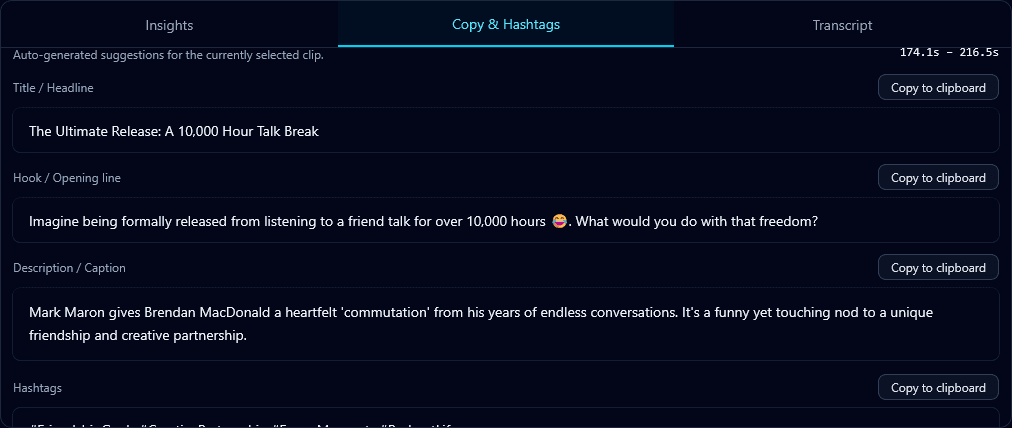
Captions do three jobs at once: they make the clip watchable on mute, they boost accessibility, and they keep eyes on the screen long enough for the platform to count a view. Getting them right is less about software and more about a few rules.
Rule 1: Accuracy comes first
One wrong word breaks trust. Klypse captions are generated from a word-level transcription of the actual audio, so they match what was said — including names and jargon that generic auto-captions mangle. You can edit any word before exporting with the transcript editor.
Rule 2: Placement inside the safe zone
Every platform overlays its own UI — usernames, buttons, the caption bar — across the bottom third of the screen. If your captions live there, they get covered. Klypse enforces a safe zone, keeping captions clear of both the platform UI and the speaker's face. This matters even more after reframing to vertical, where space is tight.
Rule 3: Style for retention, not decoration
- Large, high-contrast text — readable on a phone at arm's length.
- One or two lines at a time — never a paragraph.
- Active word highlighting — draws the eye and paces the read to the audio.
How to do it automatically
- Upload your podcast video (or a YouTube URL) to Klypse.
- It transcribes the episode and finds the strongest clips.
- Captions are generated, synced, and safe-zone placed on every clip.
- Review and tweak wording, then export ready to post.
The difference is measurable. Captioned clips hold viewers longer, and longer watch time is the single input every short-form algorithm rewards. If you post podcast clips without captions, you are handing the platform a reason to stop showing them. For the full case, read why auto captions matter.
Frequently Asked Questions
Are auto-generated podcast captions accurate?
Klypse generates captions from a word-level transcription of the real audio, so accuracy is high — including names and technical terms. You can edit any word in the transcript before exporting.
Where should captions go on a podcast clip?
Inside the safe zone — clear of the platform's bottom-third UI and away from the speaker's face. Klypse places captions there automatically after reframing.
Do captions actually improve views?
Yes. Captions keep viewers watching on mute, and longer watch time is the primary signal short-form algorithms use to decide whether to keep showing a clip.
Turn your long videos into viral shorts
Klypse finds the best moments, tracks faces, and captions every clip automatically. Start free — no credit card required.
Related reading
More from the blog
How to Resize a Landscape Video for TikTok, Reels & Shorts
Resizing a 16:9 video to 9:16 the wrong way cuts people out of frame. Here's how to convert landscape video to vertical without losing the subject.
Short-Form Video for Real Estate Agents
Real estate is a face-to-face business, and short-form video is the cheapest way to be in front of more faces. Here's how agents can produce clips at scale.
How Fitness Coaches Can Turn Workouts Into Viral Clips
Fitness is one of the most-watched categories on short-form video. Here's how coaches and trainers can turn sessions and talks into a steady clip pipeline.